 PCOS Weight Loss
How Accurate Are Photo Calorie Counters?
Photo calorie estimates are rough for mixed, sauced plates and precise enough for simple ones, and the four-part meal score is built so a calorie miss rarely moves it much.
Published · Updated
Quick answer
How accurate are photo calorie counters? They're usually close for a single food but can miss by a wide margin on a mixed plate, since depth and hidden ingredients are hard to read from a picture. The meal score leans on protein, fiber, sugar and processing, so one off estimate rarely flips it.
Key takeaways
- A single, simple food reads closer than a mixed, sauced plate in any photo estimate.
- The app has no barcode scanner or label reader; every photo estimate comes from the image alone.
- A meal photo goes to the app's server and OpenAI to identify food, then no copy is kept.
- Manual entry sends nothing off the phone; logged meals, weight, cycle days and symptoms stay on the phone, no account needed.
- Protein and fiber shift most if calories are misread; added sugar and quality barely move.
How accurate are photo calorie counters? For a single, simple food the estimate is usually close, but a mixed plate with sauce, oil and several ingredients stacked together can be off by a wide enough margin that the number works better as a ballpark than a fact.
That gap matters less here than it would on a straight calorie-counting app, because the 0–10 meal score is built from four parts — protein, fiber, added sugar and how processed the food is — rather than from one calorie total on its own.
How accurate are photo calorie counters, really?
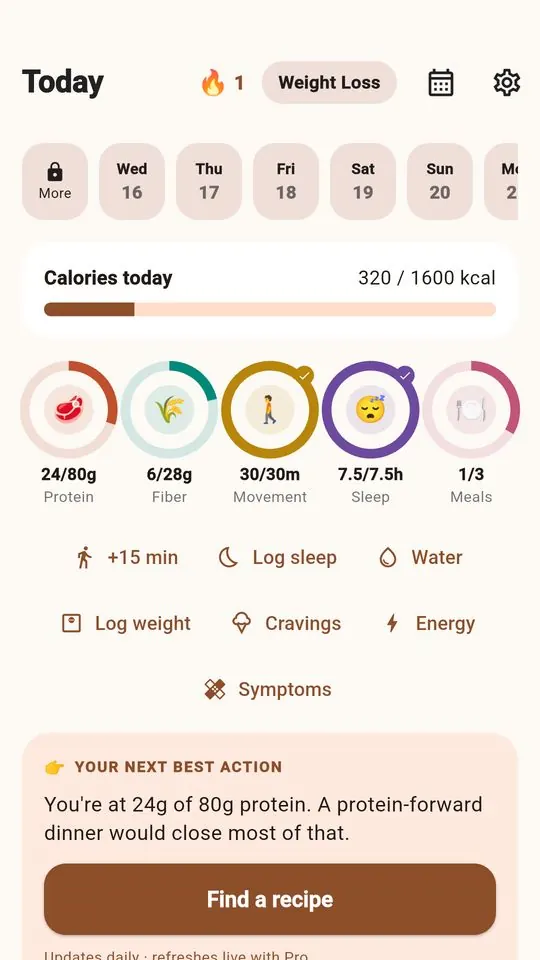
A photo gives an app two things to work with: what the food looks like, and how big it looks in the frame. Both are guesses, and nutrition figures pulled from a meal photo are estimates, not measurements — that's true of any photo-based tool, not just one.
Depth is hard to read from a flat image, so a thick slice and a thin slice of the same food can look about the same size even though their calories differ. A grilled chicken breast next to a scoop of rice is fairly easy to size up. A creamy pasta bake, where the sauce coats everything and whatever is underneath is hidden, is not — the camera can see the surface, not the inside.
The portion the app lands on is editable on the score screen, so if the serving looks off, you can adjust it before the meal is scored. The useful question isn't "is this exact," it's "is this close enough to work with for today."
Why do photo estimates miss by so much on some meals?
A handful of things make a photo harder to read accurately than others.
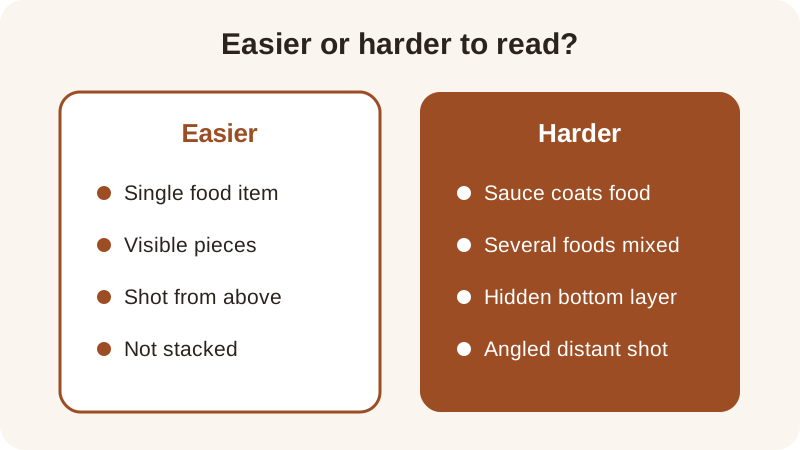
- Sauces, dressings, oil and butter that coat food rather than sit visibly on top
- Mixed dishes like a chili, a stir-fry, or a casserole, where ingredients can't be told apart by eye
- Stacked or layered food, where a bottom layer is hidden from the camera entirely
- Distance and angle — a plate shot from the side looks smaller than one shot from directly above
A bowl of turkey chili mixes ground turkey, beans, tomatoes and vegetables into one dish, so a photo can read roughly how big the bowl is but has to guess at the ratio of beans to meat to liquid. The turkey chili recipe lists that ratio exactly, which is part of why logging a known recipe by hand tends to land closer than photographing a homemade version of the same dish from scratch.
What happens to a meal photo after you take it?
A meal photo is sent to the app's server and on to OpenAI to identify the food, and no copy is kept afterward. Logging a meal by hand instead sends nothing off the phone.
Meals, weight, cycle days and symptoms you log — whether from a photo or typed in — are stored on the phone, and the app needs no account to start. The app also has no barcode scanner and no nutrition-label reader, so it never reads printed numbers off a package; every estimate comes from looking at the image itself, which is one more reason a photo is a ballpark rather than a fact.
Does typing the numbers in by hand work better than a photo?
For a known quantity, yes. Typing in values you've measured once removes the size-guessing step entirely, since there's no portion to estimate from a picture.
The app doesn't remember a portion from one photo to use on the next one, so a recipe you make often is a good candidate for manual entry: measure it once, then log those same figures by hand each time instead of rephotographing it. A photo is most useful for a quick read on a meal you didn't measure ahead of time; manual entry suits a repeated recipe you want to log the same way every time.
Does the exact calorie number matter for your meal score?
Less than you might expect. Added sugar is checked against a flat 12 g reference regardless of the meal's size, and the quality part scores food by category — minimally processed, processed or ultra-processed — not by how many calories were counted in the photo. Protein and fiber are the two parts that do use a calorie-based ratio.
| Part of the score | How much it tends to move if calories are misread |
|---|---|
| Added sugar | Little |
| Quality | Little |
| Protein | Some |
| Fiber | Some |
Take the lentil and spinach soup recipe, logged at about 20 g protein and 340 kcal — that works out to about 5.9 g protein per 100 kcal. If a photo estimate ran a little low, say 300 kcal instead of 340, the same 20 g of protein becomes about 6.7 g per 100 kcal. That's a real shift, but not one that flips a meal from a high score to a low one, because protein and calories are usually misread from the same photo in the same direction. These are general nutrition references this score uses, not clinical targets, and the full method is laid out on the how the score works page.
How can you get a steadier estimate from a photo?
A few small habits make the number more consistent from one scan to the next, even when it's never exact.
- Separate sauces, dressings and spreads from the main food before taking the photo
- Shoot from directly above, with the whole plate inside the frame
- Adjust the portion on the score screen if the serving looks bigger or smaller than usual
- Log the same meal twice on different days to see how much the estimate actually moves
Should you track exact calories or skip them with Gentle Mode?
That depends on what you want to see next to the score.
| Mode | What it shows |
|---|---|
| Weight Loss Mode | Calories, macros and a weight trend next to the meal score |
| Gentle Mode | No calories and no scale anywhere in the app |
Either way, the food scanner and the meal score calculator work from the same four-part score. If you want to see what a single scan actually returns, the food scanner app guide walks through it step by step, and the tracking without calorie counting guide covers switching into Gentle Mode if the calorie number stops feeling useful.
Frequently asked questions
Can the app read a nutrition label from a photo?
No. The app has no barcode scanner and no nutrition-label reader, so it estimates food from the picture itself rather than reading printed numbers. Figures from a meal photo are estimates, and the portion is editable on the score screen if you want to adjust it before the meal is scored.
Does a meal photo get stored anywhere?
A meal photo is sent to the app's server and on to OpenAI to identify the food, and no copy is kept afterward. Logging a meal by hand sends nothing off the phone, and meals, weight, cycle days and symptoms you log are stored on the phone, with no account needed.
Can I reuse a portion I weighed once for future photos?
Not automatically — the app does not remember a portion from one photo for later ones. A recipe you measure once is better logged by hand each time you make it, while the portion on any new photo stays editable on the score screen.
Does a wrong calorie estimate ruin the meal score?
Rarely by much. Added sugar and the quality part are checked by reference and by food category, not by the calorie count, so they move little. Protein and fiber use a calorie-based ratio and shift a bit more, but usually not enough to flip a high score to a low one.
Should I use Weight Loss Mode or Gentle Mode for photo meals?
That's a personal choice. Weight Loss Mode shows calories, macros and a weight trend next to the meal score, while Gentle Mode has no calories and no scale anywhere in the app — both use the same four-part score underneath.
General nutrition information, not medical advice. Figures are estimates. Talk to a doctor or dietitian about your own needs.