 PCOS Weight Loss
How to Log Meals Without a Scale
A guide to logging meals without a kitchen scale using hand-size portions, a meal photo and the 0–10 meal score, with an option to skip the bathroom scale too.
Published
Quick answer
The short answer to how to log meals without a scale: use a palm, fist, cupped hand and thumb for portions, then snap a meal photo so the app turns those estimates into protein, fiber and a 0–10 score.
Key takeaways
- A palm, fist, cupped hand and thumb give a quick portion estimate without a kitchen scale.
- A meal photo fills in protein, fiber, added sugar and calories as estimates, not exact grams.
- The score's references (7 g protein, 2 g fiber per 100 kcal) are general, not fixed targets.
- Gentle Mode logs meals with no calories and no scale anywhere in the app.
- Weighing a food once or twice early on helps your eyes calibrate for later.
Here's how to log meals without a scale: estimate portions with your hand and eye, then let a meal photo or a few typed numbers fill in the rest. A kitchen scale adds precision, but a palm, a fist and a phone camera can get you a workable protein, fiber and calorie estimate at the next meal.
How do you estimate portions without weighing food?
Your own hand is a reference that travels with you: a palm roughly tracks a cooked-protein portion, a loose fist tracks cooked vegetables, a cupped hand tracks a cooked grain or starch, and a thumb tip tracks an added fat like oil or nut butter. None of these is exact, but used the same way meal after meal they give a portion you can repeat without pulling out a scale.
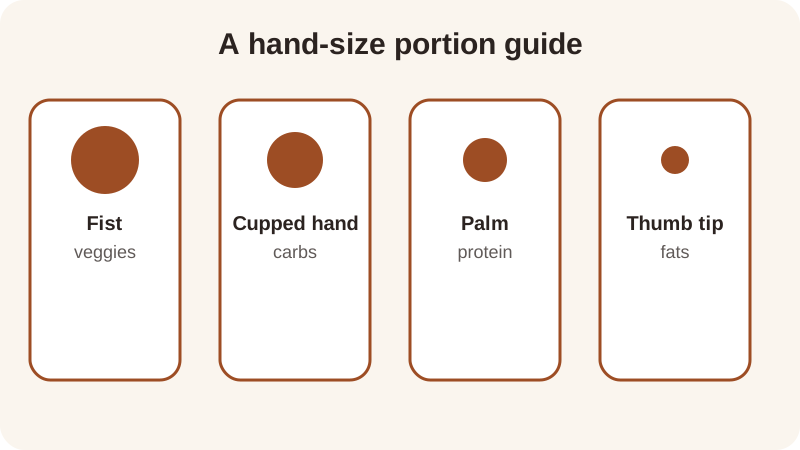
Converting that to grams is rougher than a scale, but it's close enough for day-to-day logging. A palm-size piece of cooked chicken is roughly 100-120 g and about 20-25 g of protein; a cupped hand of cooked rice or oats is roughly 150-180 g; a thumb tip of oil or nut butter is roughly 10-15 g. The meal score's references — about 7 g of protein and 2 g of fiber per 100 kcal — are general nutrition references this score uses, not a target to hit exactly, so a rough portion still gives you a usable score rather than a number you have to chase.
How do you log a meal without weighing it, step by step?
Most of the estimating happens before you ever open the app — once the portion is on the plate, logging it is the easy part.
- Build the plate using palm, fist, cupped hand and thumb as the rough portion guide.
- Take a photo of the meal with the food scanner, which reads the plate and estimates protein, fiber, added sugar and calories.
- If a packaged food has a label, type its grams in directly — a label is more precise than an eyeballed portion.
- Check the 0-10 meal score and the four parts behind it, then try a swap in the meal score calculator if you're curious what changes it.
Nutrition figures pulled from a meal photo are estimates, the same as a hand portion is an estimate. The point isn't a perfect number — it's a consistent one you can act on at the next meal without weighing anything first.
Does skipping the scale change your meal score?
It can shift the number a little, but it rarely changes what the score is telling you. The meal score runs 0 to 10 and is built from four parts — protein is 30%, fiber is 30%, added sugar is 20% and quality (how processed the food is) is 20% — combined unrounded before the final figure is rounded for display, with the full method on the how the score works page.
Here's what that looks like with a few of the recipes on the site, each already scored from its weighed grams. A hand-estimated version of a similar bowl would land close to the same score, even if the grams underneath are rounder:
| Meal | Protein | Fiber | Meal score |
|---|---|---|---|
| Turkey Chili | 36 g | 13 g | 9.3 |
| Greek Yogurt Berry Bowl | 24 g | 6 g | 9.0 |
| Cottage Cheese & Cucumber Snack | 20 g | 2 g | 8.5 |
The site has twelve recipes like these, each with its own 0-10 meal score, so you can see roughly where an eyeballed version of a similar plate would land before you even open the app to log it. The quality part of the score — how processed a food is, counted as minimally processed, processed or ultra-processed by calories — doesn't depend on weighing anything at all; it comes from what the food is, not how much of it is on the plate.
What if you don't want a bathroom scale either?
Some people only want to skip the kitchen scale; others want no scale anywhere, including the one in the bathroom. Gentle Mode is built for the second group: it has no calories and no scale anywhere in the app, so a meal photo turns into a score for protein, fiber, added sugar and quality without a single number attached to your weight.
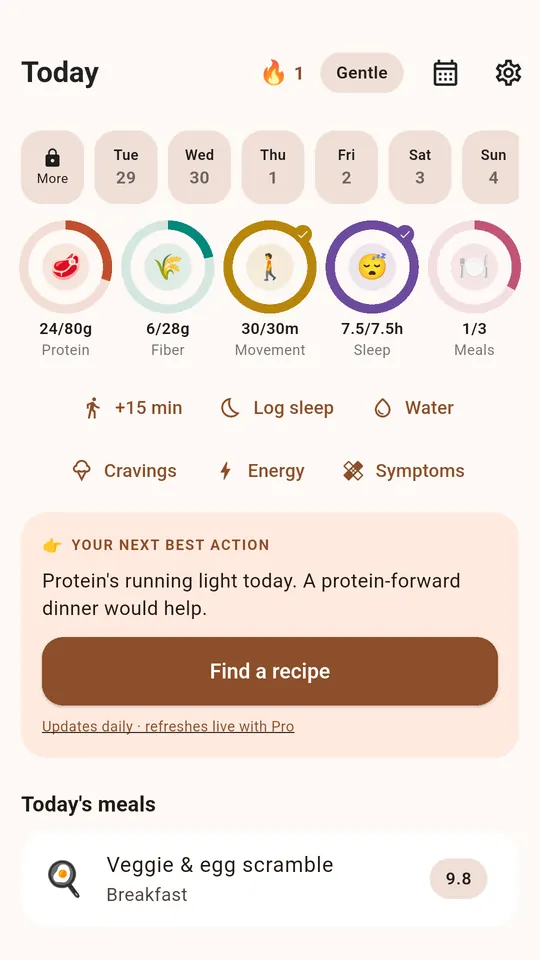
Weight Loss Mode sits next to it for anyone who does want that number — it shows calories, macros and a weight trend alongside the same meal score. Either way, the app also tracks five rings — protein, fiber, movement, sleep and meals — so a day can look complete even on a day you never think about a scale of any kind. It's free to start and needs no account, and what you log is stored on your phone; a meal photo, if you take one, is sent to the app's server and on to OpenAI to identify the food, and no copy is kept. For building fiber into a day without weighing anything, the fiber tracker and the protein per 100 calories guide walk through the same hand-and-eye approach food by food.
Frequently asked questions
Do I need a kitchen scale to use the meal score?
No. The meal score works from estimated grams, whether they come from a hand-size portion, a nutrition label, or a meal photo. The score's references — about 7 g protein and 2 g fiber per 100 kcal — are general nutrition references, not a precise target to hit.
How close is a hand portion estimate to a weighed one?
It's rougher, but usually close enough for day-to-day logging. A palm-size piece of cooked protein or a cupped hand of cooked grain repeats fairly consistently once you've checked it against a scale a couple of times early on.
What if a food has a nutrition label?
Type the label's grams in directly instead of estimating — a label is more precise than eyeballing, and it still feeds into the same four-part score alongside any hand-estimated foods on the same plate.
Can I log meals without tracking my weight at all?
Yes. Gentle Mode has no calories and no scale anywhere in the app, so you can log a meal photo and see protein, fiber, added sugar and quality without any number attached to your weight.
Does skipping the scale make the meal score less useful?
Not usually. The score still shows which of the four parts — protein, fiber, added sugar or quality — is pulling the number down, even if the underlying grams are an estimate rather than a weighed figure.
General nutrition information, not medical advice. Figures are estimates. Talk to a doctor or dietitian about your own needs.