 PCOS Weight Loss
Portion Control Tips for PCOS
Hand-based portion estimates plus the meal score's per-100-kcal protein and fiber numbers cover most portion control tips for PCOS without a kitchen scale.
Published
Quick answer
Portion control tips for PCOS start with hand-based estimates — a palm of protein, a fist of grains, a cupped hand of nuts — instead of a scale. Protein and fiber density per 100 kcal stays the same at any portion; added sugar is compared to a flat 12 g reference, so that part can shift.
Key takeaways
- Protein and fiber per 100 kcal stay the same at any portion size — only total grams change.
- Added sugar compares to a flat 12 g reference, so a bigger portion of the same food can score lower on that part.
- Hand-based estimates (palm, fist, cupped hand) work without a kitchen scale.
- The portion on a meal photo's score screen is editable and isn't remembered for the next photo.
- Gentle Mode tracks meals with no calories and no scale anywhere in the app.
Portion control tips for PCOS don't require a kitchen scale or calorie counting — a few hand-based reference points and a look at the meal score cover most of it.
The score checks protein and fiber per 100 kcal, a density number that stays the same no matter how big a portion is, so portion size matters most for the added sugar part of a meal and for how much food ends up on the plate in total.
How do you estimate portions without weighing food?
A hand portion method gives four reference points without a scale: palm, fist, cupped hand and two cupped hands, using whatever hand is doing the serving that day.
- Palm-size, about the thickness of your palm — a protein food like chicken, fish, tofu or cottage cheese, roughly 3 to 4 oz.
- Fist-size — a cooked starch or grain like rice, quinoa or oats, roughly 1 cup.
- Cupped hand — nuts, seeds or a dressing, roughly 1 to 2 tablespoons to a small handful.
- Two cupped hands — vegetables or salad greens, roughly 2 cups.
None of these portions is a target to hit every time; they're a starting point for eyeballing a plate when there's no scale around. If you'd rather log the numbers directly, logging meals without a scale walks through hand estimates in more detail, and Gentle Mode tracks meals this way with no calories and no scale anywhere in the app.
Does a bigger portion change a meal's score?
It depends on which part of the score you're looking at. Protein and fiber are scored as grams per 100 kcal — a density number — so doubling a portion doubles both the protein grams and the calories, and the ratio stays the same.
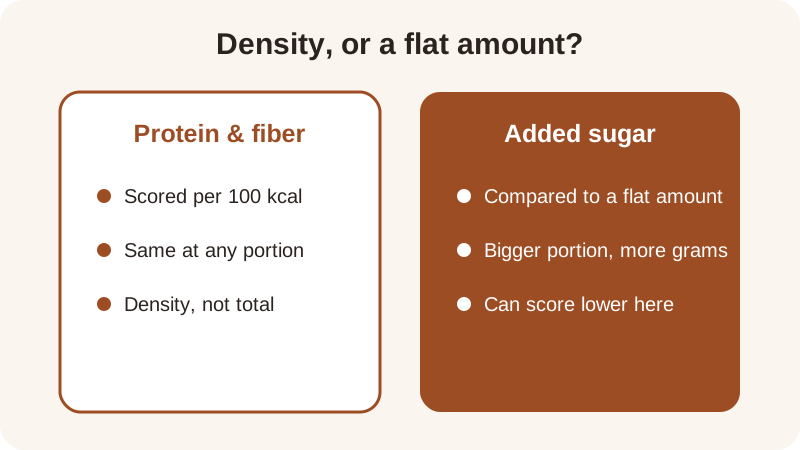
Added sugar works differently. The score's added-sugar reference is a flat 12 g, and lower added sugar scores higher. Say a snack has about 8 g of added sugar in a 150 kcal portion — that scores fairly well against the 12 g reference. Eat two of that same snack and the calories and added sugar both roughly double to about 16 g, which is now past the flat reference, so that one part of the score drops even though the protein and fiber density of the food hasn't changed at all.
Quality is scored by calories too: minimally processed food counts 1.0, processed 0.6 and ultra-processed 0.15, so a bigger or smaller portion of the same food stays in the same tier. The four parts — protein, fiber, added sugar and quality — are combined unrounded, and only the final score is rounded for display, as explained on the how the score works page.
Which portions push protein and fiber higher at the same meal?
Because protein and fiber are judged per 100 kcal, swapping in a denser food changes the score more than simply eating a bigger plate of the same thing. Here's how a few of the site's recipes compare, using their protein and fiber per 100 kcal alongside the meal score from the recipe pages.
| Recipe, one portion | Protein per 100 kcal (about) | Fiber per 100 kcal (about) | Meal score |
|---|---|---|---|
| Edamame with Sea Salt | 8.9 g | 4.2 g | 10.0 |
| Lentil & Spinach Soup | 5.9 g | 4.1 g | 9.2 |
| Cottage Cheese & Cucumber Snack | 11.1 g | 1.1 g | 8.5 |
| Apple with Almond Butter | 2.7 g | 2.7 g | 6.8 |
The score's protein reference is 7 g per 100 kcal and its fiber reference is 2 g per 100 kcal — general references the score uses, not clinical targets. Edamame and the lentil soup sit above both references, which is part of why they land near the top of the score range; the apple and almond butter portion sits below both, independent of how large or small you make the serving.
Try your own plate in the meal score calculator to see how a portion change moves each of the four parts.
How do Gentle Mode and Weight Loss Mode handle portions differently?
Weight Loss Mode shows calories, macros and a weight trend next to the meal score, so a portion change shows up in those numbers as well as in the score. Gentle Mode has no calories and no scale anywhere in the app — a portion still changes the four score parts, just without a calorie total attached to it.
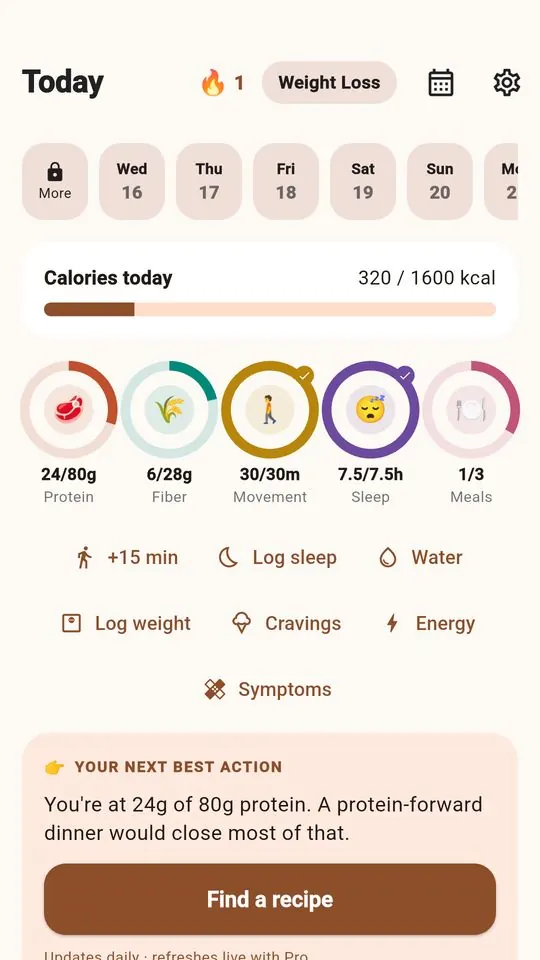
From a meal photo, the app's nutrition figures are estimates, and the portion shown on the score screen is editable — adjust it to match what's actually on the plate, and the app will recalculate the score from there. It doesn't remember that adjustment for the next photo, so each meal starts from its own estimate. The five rings — protein, fiber, movement, sleep and meals — are progress rings, separate from the meal score itself, and track consistency over the day rather than portion size directly.
Logging a meal by hand is free, has no daily limit, and sends nothing off the phone, which makes it a reasonable option on days when a photo estimate feels like more precision than you want. Either way, the portion itself is just one input among four — protein, fiber, added sugar and quality — each weighted into the final score.
Frequently asked questions
Do I need a kitchen scale for portion control with PCOS?
No. Hand-based reference points — a palm for protein, a fist for cooked grains, a cupped hand for nuts or dressing — give a workable estimate for most meals. The meal score then checks protein and fiber per 100 kcal from whatever portion you logged, by photo or by hand.
Does a smaller portion always score higher on the meal score?
Not necessarily. Protein and fiber density per 100 kcal doesn't change with portion size, so those two parts of the score stay the same. Added sugar is compared to a flat 12 g reference, so a smaller portion of the same food can score higher only on that part.
What's a simple way to estimate a protein portion without weighing it?
A palm-sized piece of cooked chicken, fish or tofu is a common reference, roughly 3 to 4 ounces, with about 20 to 25 g of protein depending on the food. It's a starting estimate, not an exact figure — the app's photo scores are estimates too.
Does portion size change the quality part of the meal score?
No. The quality part looks at how processed the food is — minimally processed, processed or ultra-processed, by calories — not how much of it is on the plate. A bigger or smaller portion of the same food stays in the same processing tier.
How does Weight Loss Mode handle portions differently from Gentle Mode?
Weight Loss Mode shows calories, macros and a weight trend alongside the meal score, so portion changes show up in those numbers too. Gentle Mode has no calories and no scale anywhere in the app — portions only affect the four score parts, not a calorie total.
General nutrition information, not medical advice. Figures are estimates. Talk to a doctor or dietitian about your own needs.